런치큐@launchcurator
PilcrowMD, an App to Read and Edit Markdown Like Documents on Your Phone
It’s cumbersome to read AI responses saved as files or project READMEs on your phone when tables and formulas just show up as raw symbols. It’s also frustrating to have to boot up a computer every time you need to check the content.
PilcrowMD is an Android app designed to read and edit such Markdown files. It renders titles, tables, code, and formulas in a document format, and you can switch to a plain text editor whenever you need to make changes.
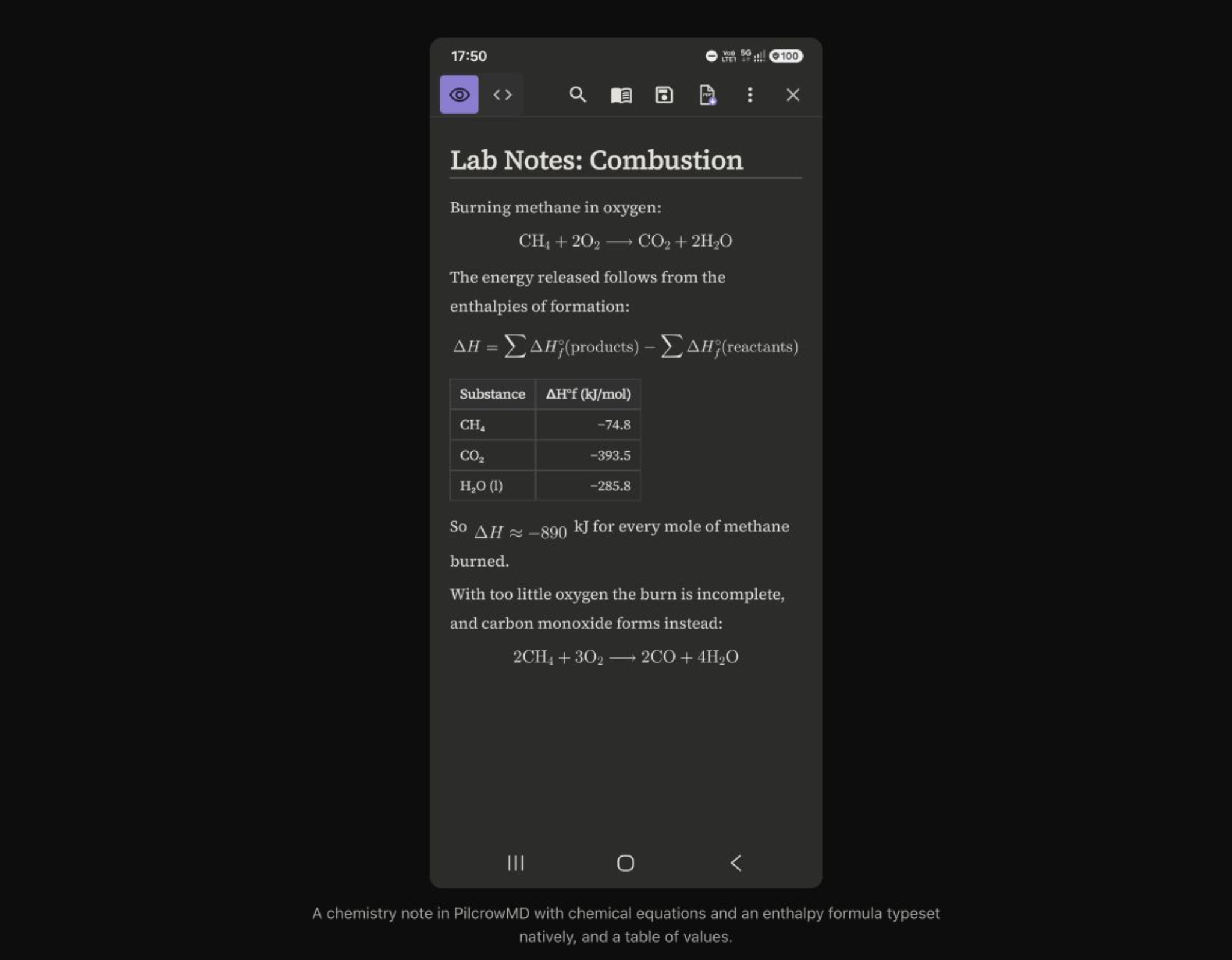
A screenshot of the Android app, as shown on the official PilcrowMD website.
Reading multiple notes together
Adding a folder allows you to view notes collectively, and you can click on links between notes to navigate to other files or specific headings. For longer documents, you can use the table of contents and search features to find exactly what you need.
Android version 1.1.0, released on October 27, added folder and note-linking capabilities, followed by the 1.1.1 update on the 29th. It’s interesting to see the functionality expand from a simple tool for opening single files to a more versatile app for reading across multiple documents.
Requirements before installing
It requires Android 8.0 or higher and is currently free. The app operates offline without the need for accounts or ads, and the Android source code is open.
The Mac version is provided as a separate beta. You shouldn't assume it functions exactly the same as the open-source Android app, and you should check its supported environments separately.
If you frequently check READMEs or Markdown notes saved on your phone, this is a tool worth checking out. It focuses on reading and minor edits rather than complex collaboration services.