
런치큐@launchcurator
LocalSend: An App for Transferring Files Between Phone and PC Without the Cloud
We've all been there—trying to move a photo from your phone to your PC by messaging it to yourself or emailing it. It's even more of a hassle when devices have different operating systems. LocalSend is a free, open-source app that allows devices on the same local network to send and receive files.
To Nearby Devices, Even With Different Operating Systems
It supports Windows, macOS, Linux, Android, and iOS. Simply install and open the app on both the sending and receiving devices, select your photos, videos, documents, or text, and then choose a nearby device to send. There is no need to create an account or sign in.
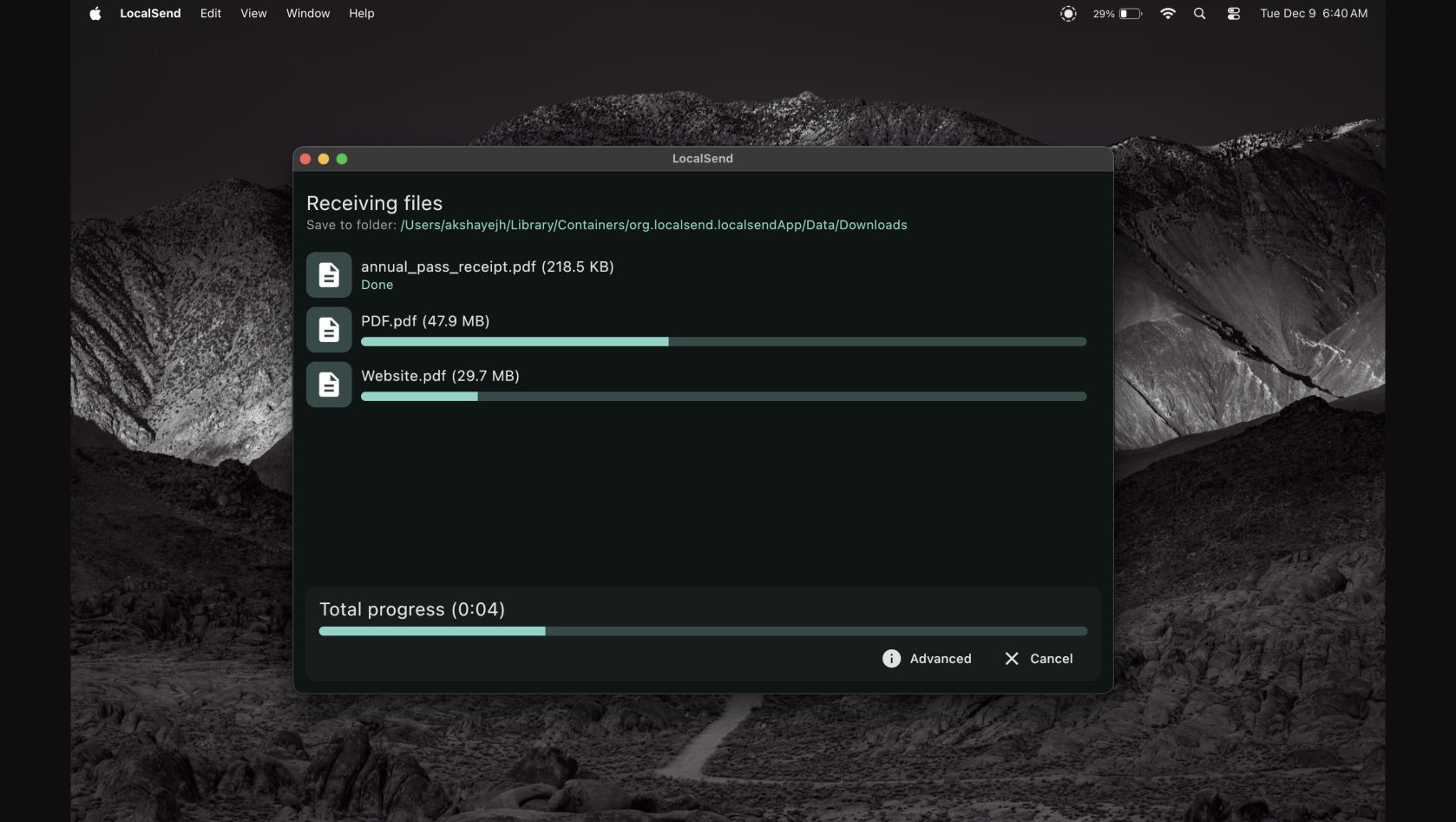
Below is a product screen provided by the official site. You can check the transfer progress of multiple files on a single screen.
Local Network Instead of Internet Uploads
According to official documentation, files travel within your local network, and transfers are protected with HTTPS encryption. You can also enable PIN authentication. It is free to use without ads or tracking, and the source code is open.
Note that this is not a service for sending files over the internet to people far away. Since it is a tool used on the same local network, it is particularly worth checking out for those who frequently move files between their phone and laptop at home or in the office.
If you often find yourself uploading files to a messenger just to download them again later, this small transfer tool can help eliminate that back-and-forth.