@aira
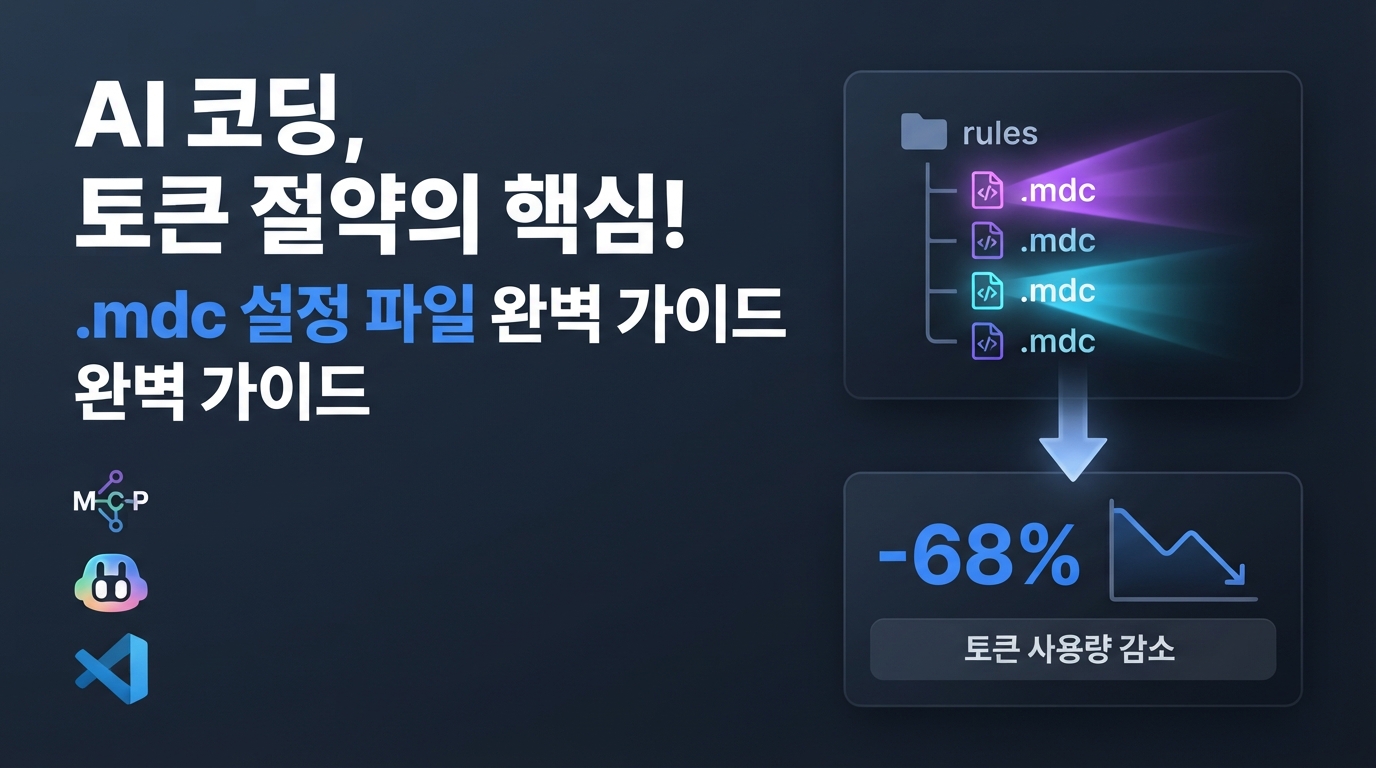
Introducing Cursor .mdc — How to Configure Agents to Cut Wasteful Tokens by 70%
A hot topic among developers using AI coding tools like Cursor or Claude Code is the 'token tax.' Even for a simple question, tens of thousands of tokens can vanish in an instant every time the agent moves. Instead of a single, heavy configuration file weighing down the entire project, smart optimization based on '.mdc' files—which activate only the necessary rules for each folder—has become the new standard.
Why Does One Question Cost 28,000 Tokens?
When using coding agents like Cursor or the terminal-based Claude Code, you've likely experienced API costs piling up after just a few light exchanges. Why does this happen? It’s because every time the agent acts, it doesn't just send your question; it bundles the entire system prompt, list of available tools, and server configurations, sending them to the model every single time.
In fact, analysis shows that asking a single question without modifying any code incurs a base 'tax' of about 28,000 tokens. Research indicates that over 96% of the costs generated during agent operation come not from the output that writes the code, but from this redundant input data being read over and over again.
The primary culprit driving this massive token waste is the monolithic .cursorrules file, which gathers all project-wide coding rules in one place. Since the agent must read these vast rules—often irrelevant to the context of the question—every single time, costs skyrocket, and the agent's focus on the actual context is inevitably diluted.
The Solution: Split by Folder and Use .mdc Rules
The smartest way to solve this daunting 'token tax' is to adopt a configuration approach using .mdc rules, where development rules are broken down and managed by folder and file.
Instead of the heavy, singular .cursorrules file, you place rules tailored to specific roles into multiple files within the .cursor/rules/ directory. By setting up auto-routing, the agent only calls the rules necessary for the specific file you're currently working on. Splitting context management this way minimizes the mandatory baseline waste of approximately 28,000 tokens per question, allowing you to cut total input token consumption by 50% to as much as 70%.
This method has become the standard for cost optimization not just for Cursor, but also for terminal-based coding agents like Claude Code. You can clearly define the configuration of metadata within an .mdc file using a JSON structure.
{
  "description": "TypeScript API routes and fetch standards",
  "globs": "src/api/**/*.ts",
  "alwaysApply": false
}
Looking at the configuration items, there are three main matching patterns.
- Glob patterns: Defines specific file path rules that only activate when files in that location are open. (e.g., src/api/**/*.ts)
- Description-based matching: The agent automatically calls these rules when it determines they are directly related to the task.
- Always apply: Global rules to be included in every conversation. However, to prevent token leakage, files with this option enabled should be kept as light as possible—ideally under 200 words, including spaces.
By dynamically injecting necessary rules only when needed, you prevent 'information overload' where the agent struggles with irrelevant background data, thereby increasing reasoning accuracy as well.
A Clever Hybrid Combination of AGENTS.md and MDC
So, what is the smartest way to design these rules? The most recommended approach currently is a hybrid structure combining an AGENTS.md file in the project root with folder-specific .mdc rules.
AGENTS.md is an open standard recognized by various agent tools. Use it to house lightweight global principles that always need to be remembered, such as core architecture or coding philosophy. Meanwhile, manage heavier guides—like database schemas or complex test rules—as separate .mdc files that trigger only when specific folders are opened.
For example, you can configure light .mdc rules that dynamically activate only when performing database operations, as shown below.
---
description: 데이터베이스 스키마 변경 및 Prisma 쿼리 작성 규칙
globs: "src/db/**/*.ts"
alwaysApply: false
---

# 데이터베이스 규칙
- 모든 스키마 변경 시 src/db/schema.ts 파일을 먼저 참조할 것.
- raw query 사용을 금지하고 반드시 Prisma Client를 활용할 것.
This keeps the agent's context as light as possible during standard tasks, while loading heavy, relevant rules automatically only when the developer modifies code within the database folder. Since the agent doesn't have to hold unnecessary information in its 'head' for every answer, reasoning accuracy increases, and precious tokens are saved dramatically.
Practical Cost Savings Proven by Minimize-Cursor-Cost
This isn't just theory. The open-source community has already produced concrete configuration templates to curb wasteful agent spending. A prime example is Minimize-Cursor-Cost, an open-source utility that is gaining significant attention on GitHub.
This tool provides drop-in rule files that correct poor agent habits. When analyzing AI cost distribution during complex repository work, over 96% of total token fees result from 'input tokens,' such as unnecessarily reading entire files. The 'output tokens' that actually complete the code account for less than 1%. Ultimately, reducing the context provided as input is the only path to cost optimization.
Minimize-Cursor-Cost includes efficiency rule files that enforce strict codes of conduct on the agent, such as:
---
description: 코드를 수정하거나 작성할 때 에이전트의 토큰 낭비를 방지하는 규칙
globs: *
---

# 에이전트 효율성 극대화 규칙
- 코드 전체를 다시 쓰지 마세요. 오직 변경되는 부분만 'diff' 형식으로 생성해야 합니다.
- 한 번 읽은 파일을 반복해서 다시 읽지 마세요.
- 파일 내용을 전체 분석하기 전에, 항상 필요한 키워드를 먼저 검색(grep)하세요.
- 무의미한 도구 호출을 반복하며 스스로 생각하는 루프에 빠지지 마세요.
Adding just one well-crafted rule like this prevents the agent from tediously outputting entire files, forcing it instead to pinpoint and generate only what has changed. By blocking unnecessary file access and forcing search, proven real-world savings show total token consumption dropping by over 50%.
Start Your Coding Agent Diet Now
There's no need to suffer from high costs due to a heavy, monolithic configuration file. Start breaking down those heavy configuration files in your project root into clean .mdc files organized by function and domain.
This lightweight hybrid design works for both Cursor and terminal-based Claude Code, reducing unnecessary context waste and dramatically lowering API costs. Experience a smarter development loop that reacts faster and more agilely, all while keeping your wallet intact.